
Running a small business website on WordPress gives you complete ownership over your website, but without a clear operational strategy, maintenance, slow page speeds, and security vulnerabilities can quickly drain your time and revenue.
A high-performing business website does not require custom coding or complex technical management. By setting up the right foundation, automating protection, and focusing on user conversions, your website can function as a reliable, 24/7 lead-generation engine.
Key Takeaways
- Prioritize lightweight block builders over bloated page builders to maintain fast load times and strong Core Web Vitals.
- Automate off-site backups so you can restore your site instantly without losing client inquiries or transactions.
- Harden security at the login level using two-factor authentication (2FA) and active malware monitoring.
- Design for mobile conversion by placing prominent call-to-action buttons and lightweight forms above the fold.
- Establish a structured maintenance routine to keep plugins, PHP versions, and themes updated safely.
Choose a Lightweight, Block-Based Theme
Bulky, multi-purpose commercial themes often come bundled with dozens of unused features, heavy sliders, and redundant scripts that drag down page load speed.
For a modern small business site, stick to clean block-based themes and native WordPress Gutenberg tools. Native block setups load significantly fewer assets, deliver higher Google PageSpeed scores, and allow you to build custom landing pages visually without writing CSS or HTML.
Automate Daily Off-Site Backups
Hosting server crashes, plugin update conflicts, and human errors happen. Relying solely on your web host’s internal backup is risky because if your server environment fails, your backup might become inaccessible as well.
- Set up automated daily backups that push encrypted archives directly to a separate cloud storage provider (such as Google Drive, Amazon S3, or Dropbox).
- Verify one-click restores before making major site updates so you can roll back within minutes if an issue arises.
- Use staging environments to test plugin updates and layout redesigns safely before pushing them live.
Implement Proactive Website Security
Small business websites are frequent targets for automated brute-force attacks and vulnerability bots. Securing WordPress requires only a few essential guardrails:
- Enforce Two-Factor Authentication (2FA): Prevent unauthorized access even if administrative passwords are compromised.
- Limit Login Attempts: Block IP addresses automatically after repeated failed login attempts.
- Use a Web Application Firewall (WAF): Filter malicious bot traffic and exploit attempts before they reach your server.
- Keep User Roles Minimal: Ensure employees and contractors only have the minimum permissions needed (e.g., Editor or Author instead of Administrator).
Optimize for Mobile Lead Capture
Over 60% of small business website traffic comes from mobile devices. If visitors cannot easily call you, request a quote, or find your location within seconds, they will bounce to a competitor.
- Place Primary CTAs Above the Fold: Include a direct “Call Now” or “Get a Quote” button visible immediately without scrolling.
- Streamline Contact Forms: Remove unnecessary fields. Every additional field in a mobile contact form reduces conversion rates.
- Compress Images Automatically: Serve next-gen formats like WebP to keep mobile data usage low and images crisp.
Prevent Plugin Bloat
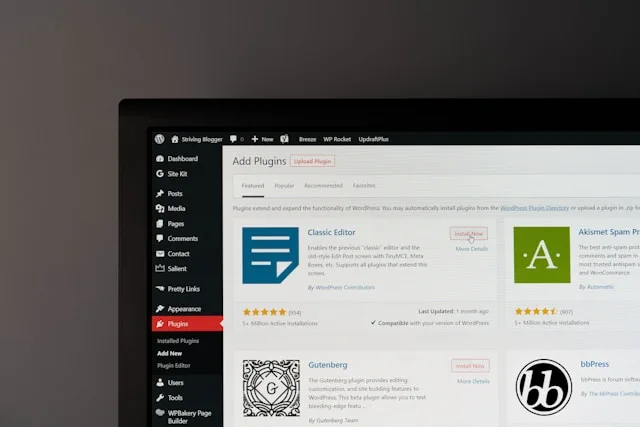
Every plugin installed on your website adds database queries and script execution time. A lean WordPress installation is faster, easier to maintain, and less vulnerable to security exploits.
- Conduct a quarterly audit to delete deactivated plugins and themes.
- Avoid installing standalone plugins for minor features (like simple analytics snippets or social icons) that can be handled through site-wide code managers or native blocks.
- Keep your active plugin count focused strictly on core operations: SEO, security, forms, caching, and backups.
Frequently Asked Questions
How often should a small business update WordPress plugins?
Minor security patches should be applied immediately, while routine feature updates should be reviewed and applied weekly or bi-weekly after generating a fresh backup.
Why is my small business WordPress website loading slowly?
The most common causes are uncompressed high-resolution images, lack of page caching, bloated visual page builders, and shared hosting servers with limited PHP memory.
Do I need to know how to code to run a WordPress site?
No. Modern WordPress utilizes visual block editors and pre-built patterns that allow you to manage layouts, publish content, and update media without touching code.
Keeping Your WordPress Site Built for Growth
Managing a WordPress website as a small business owner doesn’t require endless troubleshooting or complex coding. By sticking to a lean block foundation, automating daily off-site backups, and keeping security tight, you protect your revenue and ensure a smooth experience for every prospect.
Focus on turning traffic into clients with clear calls-to-action and fast load times. If routine updates, database maintenance, or performance optimizations become too time-consuming to handle alongside daily operations, partnering with dedicated WordPress Maintenance Services can keep your platform running at peak performance while you focus on growing your business.
For detailed step-by-step instructions on safeguarding your database and files, consult the official WordPress backup documentation.
Leveraging WordPress for small business success means transforming your site from a passive brochure into an active growth engine. When you optimize WordPress for small business performance, you eliminate technical friction and build trust with your audience. Maintaining WordPress for small business security ensures your customer data remains fully protected against modern threats. Ultimately, running WordPress for small business operations should simplify your workflow, not complicate it. By implementing these streamlined strategies, you can scale WordPress for small business lead generation and confidently secure your digital footprint. Embrace the power of WordPress for small business to dominate your local market today.